

TL;DR:
- Managing your watch history influences YouTube's recommendations and privacy effectively.
- You can control, delete, or pause your watch history through account settings for personalized results.
- Sharing your viewing habits publicly is limited to playlists and liked videos, not private history.
YouTube's recommendation engine is powerful, but it can also trap you in a loop of videos you've already seen or content you watched once by accident. Your watch history (the record of every video you've played on YouTube) is the engine's main fuel. When that history is cluttered, outdated, or unmanaged, your homepage fills with irrelevant suggestions and your privacy takes a hit. This guide walks you through exactly how to take control: accessing, editing, and optimizing your watch history, understanding what you can and can't share, and using community signals to discover trending content without bias.
Table of Contents
- What is YouTube watch history and why it matters
- How to access, view, and control your watch history
- Optimizing recommendations with smart watch history management
- Sharing, privacy, and discovering community trends
- Why taking control of your watch history is more powerful than you think
- Take your watch history management to the next level
- Frequently asked questions
Key Takeaways
| Point | Details |
|---|---|
| Control recommendations | Managing your watch history customizes YouTube's video suggestions. |
| Balance privacy and sharing | You can pause, delete, or limit watch history to protect privacy while selectively sharing via playlists. |
| Discover without bias | Use Explore, subscriptions, and trends to find new content unaffected by your watch history. |
| Tools make it easier | Platforms like replayd help organize, rate, and share your viewing habits for a richer community experience. |
What is YouTube watch history and why it matters
Your YouTube watch history is a running log of every video you've played while signed into your Google account. It lives on your account across all devices, meaning a video you watched on your phone shows up when you open YouTube on your laptop. That's convenient, but it also means every accidental click or one-off rabbit hole gets recorded and used against you.
Here's why it matters: watch history is a primary signal for recommendations, alongside search history, likes, and subscriptions. YouTube's algorithm reads your history to predict what you'll want to watch next. Watch one cooking video, and suddenly your homepage is full of recipes. Watch a conspiracy theory by mistake, and the algorithm may keep nudging you toward similar content.
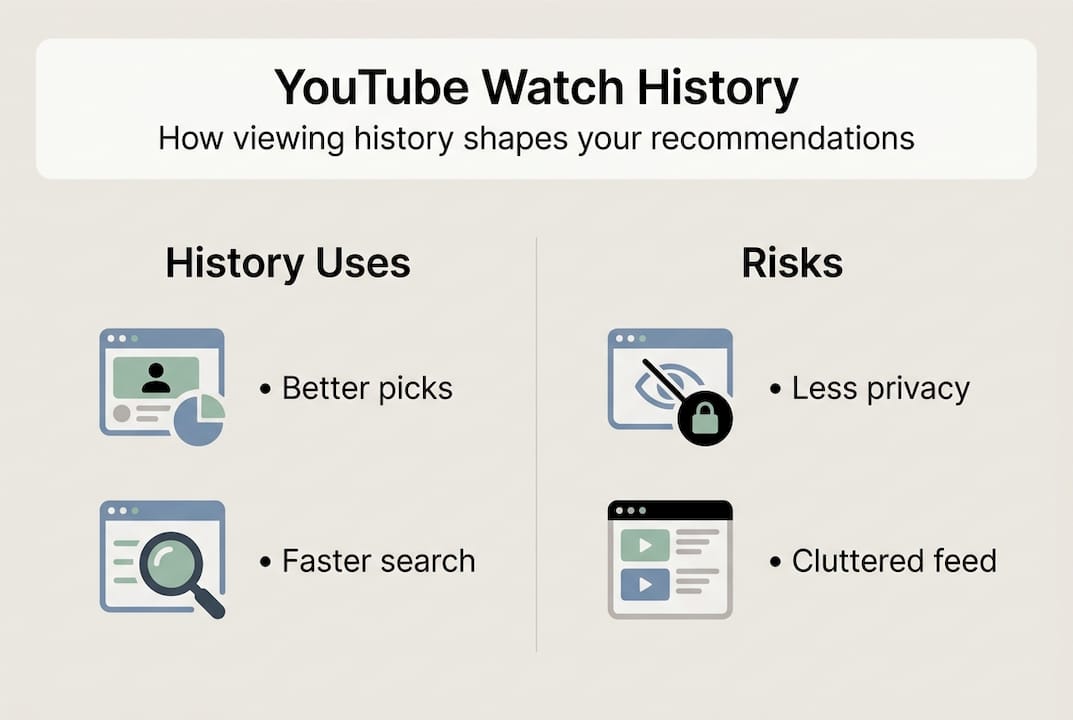
It's worth understanding the difference between the types of data YouTube tracks:
| Data type | Visible to others? | Affects recommendations? |
|---|---|---|
| Watch history | No (private) | Yes, heavily |
| Liked videos | Yes (if public) | Yes |
| Subscriptions | Yes (if public) | Yes |
| Public playlists | Yes | Indirectly |
| Trending/Explore tab | N/A | No |
Some key things your watch history does:
- Shapes your homepage feed and "Up Next" suggestions
- Influences search result rankings for your account
- Feeds into YouTube's ad targeting
- Determines which creators get promoted to you repeatedly
"Your watch history is one of the strongest signals YouTube uses to personalize your entire experience, from the homepage to autoplay."
Understanding how managing watch history influences recommendations is the first step toward a viewing experience that actually reflects what you want to watch, not what the algorithm guessed wrong three months ago. You can manage YouTube watch history directly from your account settings, and the process is simpler than most users expect.
How to access, view, and control your watch history
Getting to your watch history takes just a few clicks, but most users never bother because they don't realize how much control they actually have. Here's how to find it and what you can do once you're there.
Accessing your watch history:
- Open YouTube and sign in to your Google account.
- Click your profile icon in the top right corner.
- Select History from the menu, or go directly to YouTube history settings.
- Alternatively, visit myactivity.google.com for a broader view of all Google activity, including YouTube.
- Use the search bar within History to find specific videos by title or keyword.
Once you're in your history, you have several options. You can remove individual videos by clicking the X next to each one, or you can delete your entire history in one go. You can also pause history recording entirely, which stops YouTube from logging new videos until you turn it back on.

Comparing your main control options:
| Action | What it does | Best for |
|---|---|---|
| Delete single video | Removes one entry | Fixing specific mistakes |
| Delete all history | Full reset | Starting fresh |
| Pause history | Stops recording temporarily | Private browsing sessions |
| Auto-delete | Deletes history after set time | Ongoing, hands-off control |
The auto-delete options for watch history include 3, 18, or 36 months, meaning YouTube will automatically purge anything older than your chosen window. This is one of the most underused tools available. Set it once and forget it.
Pro Tip: If you share a device with family members or roommates, pausing your watch history before handing over your phone prevents their viewing habits from polluting your recommendations.
One thing to note: pausing history doesn't delete what's already recorded. It only stops new entries from being added. If you want a clean slate, delete existing history first, then pause. For ongoing watch history management tips, combining auto-delete with selective removal gives you the most targeted control.
Optimizing recommendations with smart watch history management
Deleting your entire history feels satisfying, but it's actually a blunt approach. You lose all the positive signals too, like the channels you genuinely love and the topics you actually want more of. Smarter management means being selective.
Here's what works best for fine-tuning your recommendations:
- Remove specific videos: If you watched something you don't want influencing your feed, delete just that entry. The algorithm stops using it almost immediately.
- Use "Not interested": On any recommended video, click the three dots and select Not interested. This tells YouTube to stop suggesting similar content without touching your history.
- Clear history for a fresh start: If your recommendations are completely off track, a full history clear for fresh start resets the algorithm. Expect a few days of generic suggestions before it learns your preferences again.
- Pause for temporary interests: Researching a topic you don't want to follow long-term? Pausing history allows exploring without affecting your recommendations, which is ideal for one-off searches.
The difference between these tools matters:
| Tool | Speed of impact | Scope | Privacy benefit |
|---|---|---|---|
| Remove single video | Fast | Narrow | Low |
| Not interested | Fast | Topic-wide | None |
| Pause history | Immediate | All new content | High |
| Delete all history | 1-3 days | Full reset | High |
| Auto-delete | Gradual | Time-based | Medium |
Pro Tip: Use the "Not interested" button aggressively for a week after clearing your history. It trains the algorithm faster than just watching videos passively.
Balancing privacy with personalization is a real tension. The more history you keep, the better your recommendations. The less you keep, the more private your viewing habits stay. There's no perfect answer, but the selective approach (removing bad signals while keeping good ones) gives you the best of both worlds. Understanding how watch history shapes recommendations helps you make smarter decisions about what to keep and what to cut. For more practical strategies, improving YouTube recommendations is worth exploring in depth.
Sharing, privacy, and discovering community trends
One of the most common questions YouTube users ask is whether they can share their watch history with friends. The short answer: no. No direct sharing of private watch history is possible through YouTube. Your history is tied to your Google account and is completely private by default.
But there are solid alternatives for sharing what you watch:
- Create a public playlist and add videos you want others to see. Share the playlist link anywhere.
- Like videos publicly so your liked videos list is visible to others if your account is set to public.
- Share individual videos directly via the share button under any YouTube video.
- Use Watch Later as a personal queue, though it's private unless you manually share the link.
"Your watch history is never visible to other users or creators. Only you can see it, and only when signed into your own account."
For discovery beyond your own history, the Explore tab is your best tool. Trending content independently of history uses the Explore tab, topics, and subscriptions, which provide community signals without personal history bias. This means you can see what's genuinely popular right now, not just what the algorithm thinks you want based on past behavior.
The community dimension of content discovery is often overlooked. When you look at what other people are watching and rating, you get a signal that's completely independent of your own history. Platforms built around social video tracking let you tap into collective viewing patterns, which surfaces content you'd never find through a personalized feed alone. Exploring your shared ratings and playlists is one way to connect your own viewing habits to a broader community perspective. For full details on watch history privacy, YouTube's support documentation covers every scenario.
Why taking control of your watch history is more powerful than you think
Most advice about YouTube watch history falls into two camps: delete everything for privacy, or leave it alone for better recommendations. Both miss the point entirely.
The users who get the most out of YouTube treat their watch history like a curated record, not a passive log. They remove the noise, keep the signal, and use public playlists to build a shareable identity around what they actually value. That's a fundamentally different relationship with the platform.
Here's the uncomfortable truth: a completely empty history doesn't make you more in control. It makes you anonymous to the algorithm, which then defaults to serving you whatever is trending broadly, not what's relevant to you. That's not freedom. That's just a different kind of irrelevance.
Selective, intentional management is harder than pressing "delete all," but it pays off. When you combine smart history pruning with rating your watched videos, you build a personal record that works for you across platforms, not just inside YouTube's walled garden. The goal isn't a clean slate. It's a meaningful one.
Take your watch history management to the next level
You now have a solid framework for managing your YouTube watch history, from accessing and editing it to using it strategically for better recommendations and community discovery. But YouTube's native tools only go so far.
Replayd.io is built for YouTube users who want more than a basic history log. You can rate and share your watch history with a community of engaged viewers, track what you've watched over time, and discover what others are watching right now. It's the layer of organization and social context that YouTube's own tools don't provide. If you're serious about managing your viewing experience and connecting with others who care about great content, Replayd.io is the natural next step.
Frequently asked questions
Will deleting my YouTube watch history affect my recommendations?
Yes, deleting watch history prevents it from influencing future recommendations, so YouTube will suggest videos without your previous viewing as a reference point.
Can I stop YouTube from saving my watch history automatically?
Yes, you can pause or turn off watch history in your account settings, which stops YouTube from recording new videos you watch.
Is there a way to share my watch history with others?
No, no direct sharing of private watch history is available, but you can share public playlists or Watch Later lists as an alternative.
What happens to YouTube recommendations if my watch history is empty?
With an empty history, your homepage shows few personalized suggestions and instead relies on subscriptions and trending videos as the main content signals.